 SwedPlay
 US Courtyard [iOS]
 Soccer Referee US Android (Fast Pay)
 CA Playtest Pro by BestPlay [iOS]
 Fetch Rewards - US
 Playtest Pro by BestPlay iOS CA CPE
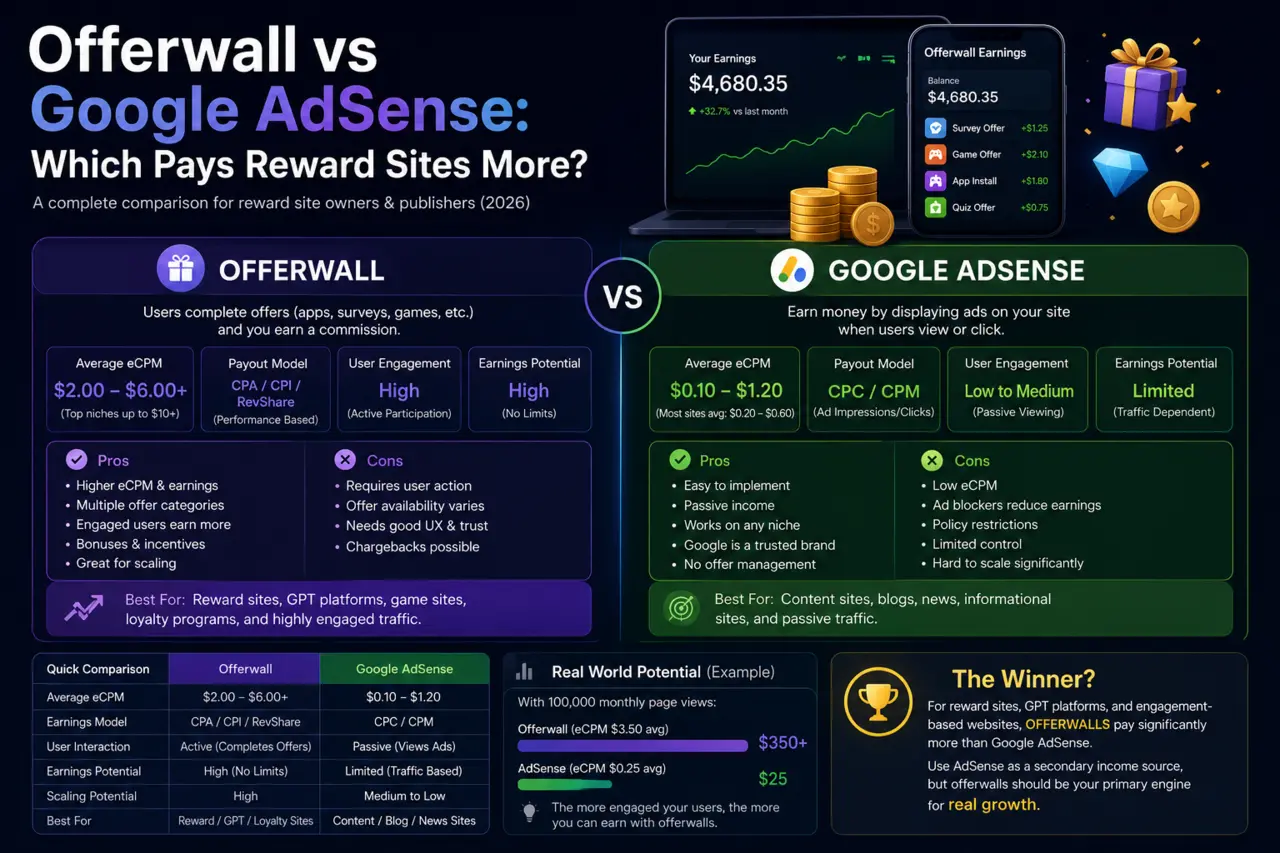
Offerwalls are usually discussed from the publisher's side, but they are also one of the most cost-efficient user acquisition channels for apps, games and online services. You pay only for a completed action — an install, a level reached, a sign-up, a deposit — and the user is rewarded by the publisher for completing it. This guide explains what you can buy on an offerwall, how campaigns are priced and tracked, and how to set one up on AdswedMedia.
Why advertisers use offerwalls
- Performance pricing — you define the conversion and the payout; there is no cost for impressions or clicks.
- Scale and speed — reward audiences complete offers within hours, useful for launches, rank pushes and reaching event targets.
- Engagement, not just installs — multi-step and rewarded playtime campaigns pay for real minutes and milestones inside your app.
- Transparent tracking — every conversion is confirmed by your own postback or MMP before it is billed.
Campaign types you can run
| Type | You pay for | Best for |
|---|---|---|
| CPI | Install and first open | Volume, store ranking, new launches |
| CPE / multi-reward | Tutorial, level, playtime milestones | Games and apps that need retained users |
| CPA | Sign-up, deposit, purchase, subscription | Fintech, trading, e-commerce, SaaS trials |
| CPL | Lead form or registration | Lead generation, newsletters, communities |
| PTC / visits | Timed visit to a page | Awareness and traffic to a landing page |
How pricing works
You set a payout per conversion for each event and a budget. Publishers display your offer with a reward derived from that payout, so a higher payout means more placements and faster volume. Target by country, device and operating system, and cap daily conversions to control spend. Budgets can be funded in advance and campaigns pause automatically when the balance runs out.
Tracking: postbacks and MMPs
Conversions are attributed through a click ID. When a user taps your offer, the network records the click and sends the user to your store page or landing page with that ID. When the event happens, your server (or your MMP such as AppsFlyer or Adjust) fires a postback back to the network with the click ID and event name. Only then is the publisher paid and your balance charged. For multi-step campaigns, send one postback per event.
Setting up a campaign step by step
- Create an advertiser account and fund your balance.
- Create the campaign: name, store or landing URL, countries, devices and a daily cap.
- Define conversion events and the payout for each (for example install $0.30, level 10 $1.20, level 25 $3.00).
- Write clear user instructions. Reward users follow instructions literally, so say exactly what to do.
- Configure the postback in your tracking platform using the click ID macro from the campaign page.
- Run a test conversion, confirm it appears in reports, then set the campaign live.
Optimization tips
- Front-load a small first reward (install or tutorial) and put the larger payouts on milestones that prove retention.
- Price per country: Tier-1 users need higher payouts; emerging markets deliver volume cheaply.
- Keep events achievable within a few days; milestones that take weeks convert poorly.
- Watch quality: compare retention and revenue from offerwall users against other channels and adjust payouts per publisher.
- Refresh creatives and instructions when conversion rate drops; reward audiences see the same wall daily.
Need help planning events and payouts? See the documentation or start a campaign today.
Frequently asked questions
How much does offerwall advertising cost?
You decide the payout per conversion and the budget. Installs typically cost cents to a few dollars depending on country, while deeper actions such as levels, sign-ups or deposits are priced higher because they take more effort.
Is offerwall traffic incentivized?
Yes. Users receive a reward from the publisher for completing your offer. That is why offerwall campaigns work best when the paid event proves engagement, such as reaching a level or making a deposit, rather than only an install.
How are offerwall conversions tracked?
Through a click ID passed on the tracking link and returned by your server or mobile measurement partner in a postback. The network charges your balance and pays the publisher only when that postback confirms the event.
Can I run a campaign without an MMP?
Yes. A server-side postback from your own backend works for web sign-ups, deposits and purchases. For mobile installs an MMP such as AppsFlyer or Adjust makes attribution simpler.